Mini-project: Create a Padlet with amazing facts about animals
Now that you have completed the profile of an amazing animal, publish it on a collective digital wall created with Padlet.com. You may add other elements like photos, links or videos.
Here's what you need to do to create your own Padlet.
Step 1
Go to Padlet.com and sign up with an email address and a password that you choose
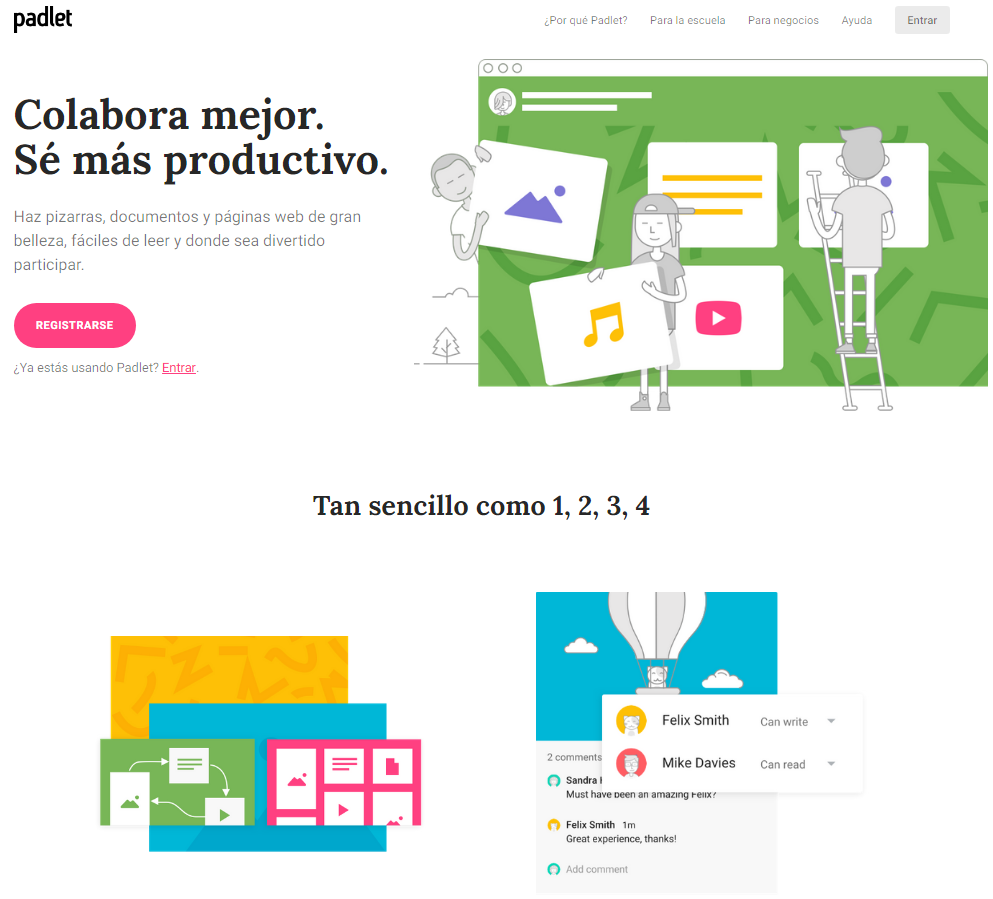
Ana Losada e José Luis Murado. CC BY-SA
Step 2
Once you are signed in, click MAKE A PADLET.
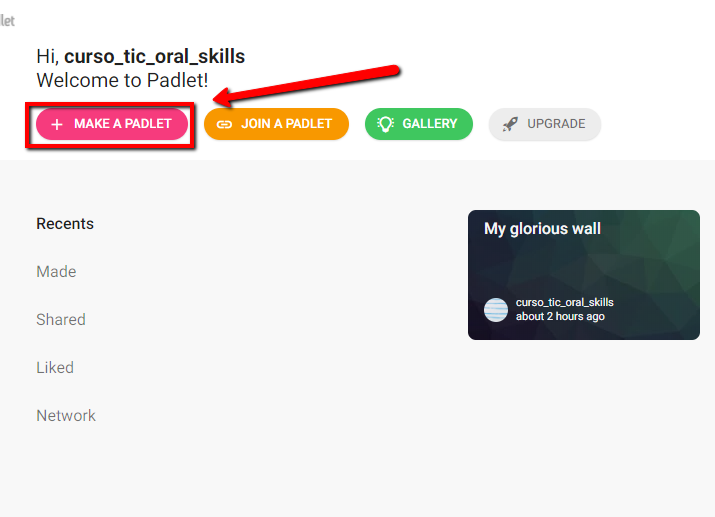
Ana Losada e José Luis Murado. CC BY-SA
Choose the option WALL and click SELECT.

Ana Losada e José Luis Murado. CC BY-SA
Step 3
Add a title, a description and choose a wallpaper. When you finish, click NEXT.

Ana Losada e José Luis Murado. CC BY-SA
Choose the option PUBLIC to be able to share your padlet with other users. Click NEXT,
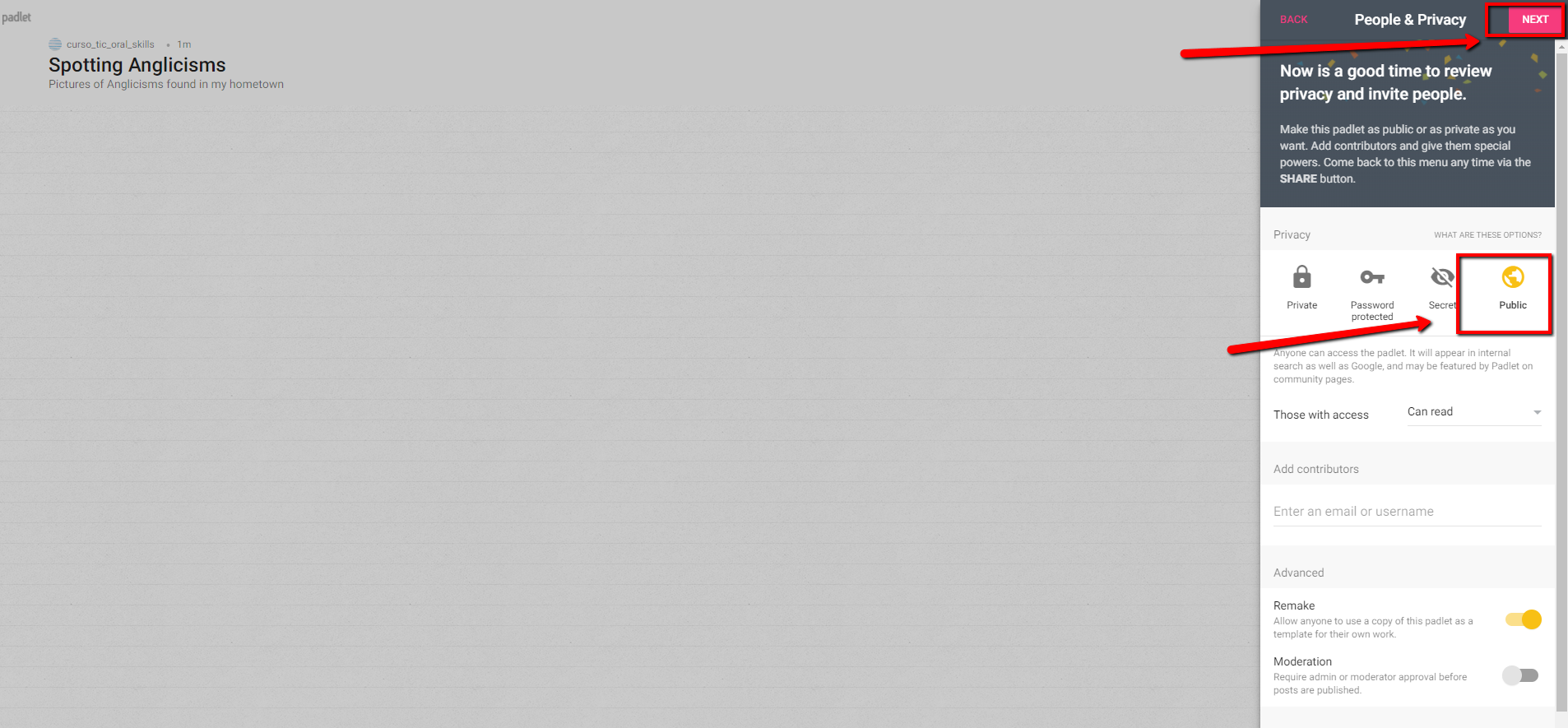
Ana Losada e José Luis Murado. CC BY-SA
Step 4
Click START POSTING.

Ana Losada e José Luis Murado. CC BY-SA
Double click anywhere on the wall and start adding your photos and your notes.

Ana Losada e José Luis Murado. CC BY-SA
Step 5
Once you finish it, share it with other users by clicking SHARE.
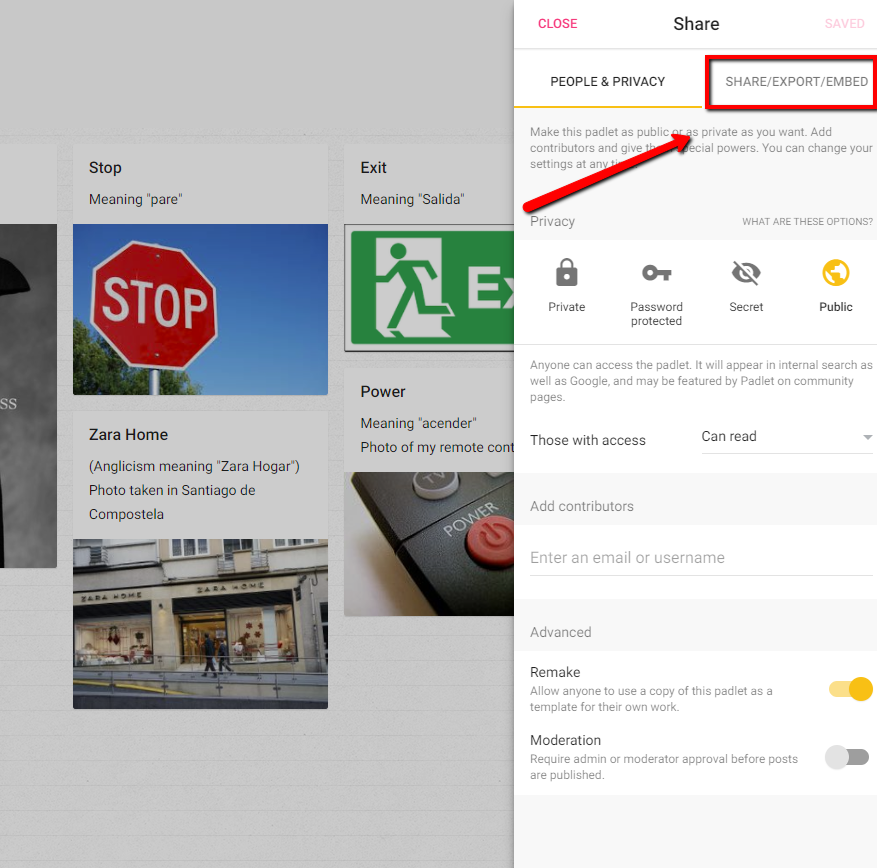
Ana Losada e José Luis Murado. CC BY-SA
Here's an example of a Padlet.
