1st term culture project
This culture project allows you to foster deeper knowledge of music and the world around. Follow the steps to get your goal. Read them all before starting your project.
STEP 1- Deal with information
Choose one of these options:
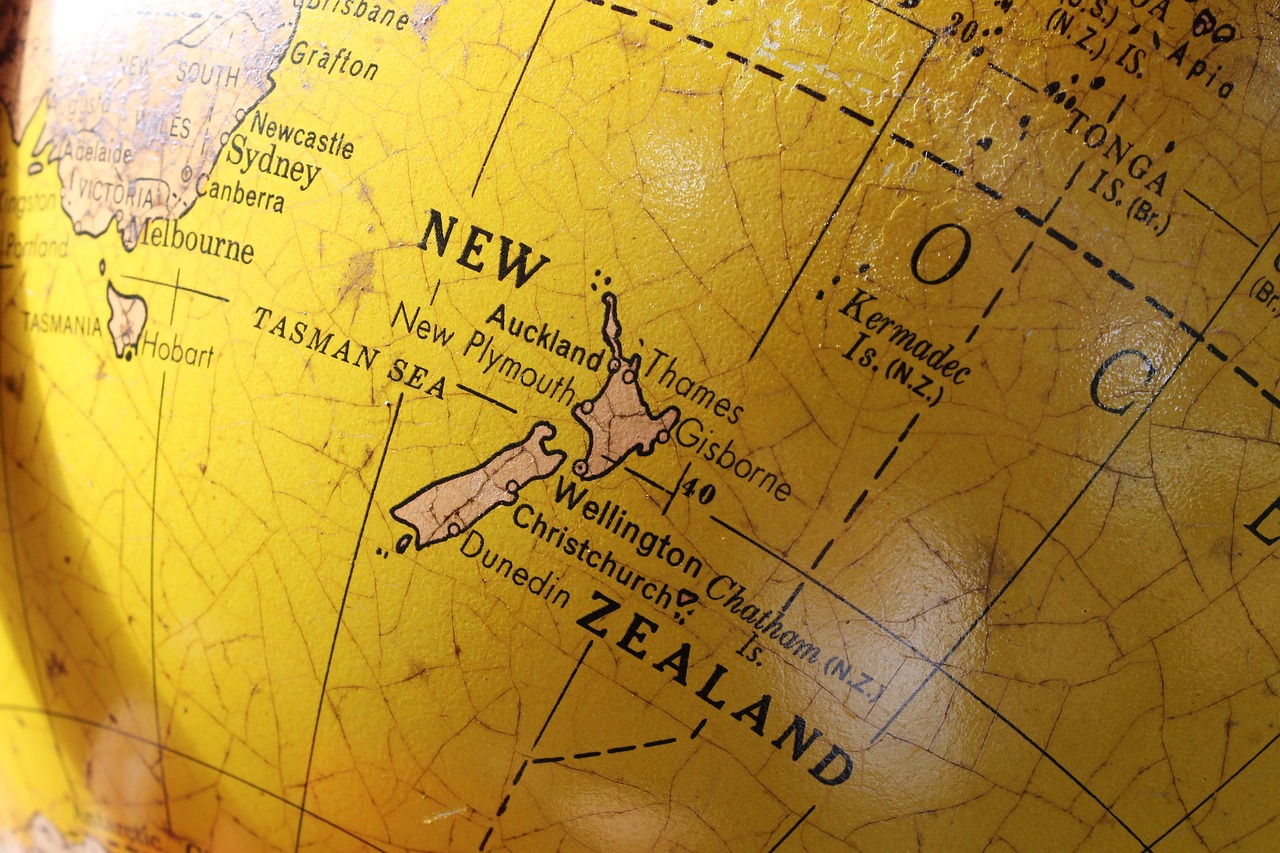
a) Creating a cardboard poster which includes information about New Zealand location, inhabitants, capital city, currency, national symbols, weather, sports, animals and most relevant geographical features. (Work in pairs). Find relevant information here: New Zealand facts 1, 2, 3
b) Creating a digital slideshow which shows New Zealand traditional instruments, modern instruments and other aspects about music. (Work in group of three). Find relevant information here: Maori instruments 1, 2, 3, 4, 5, 6 New Zealand music 1, 2, 3, 4, 5
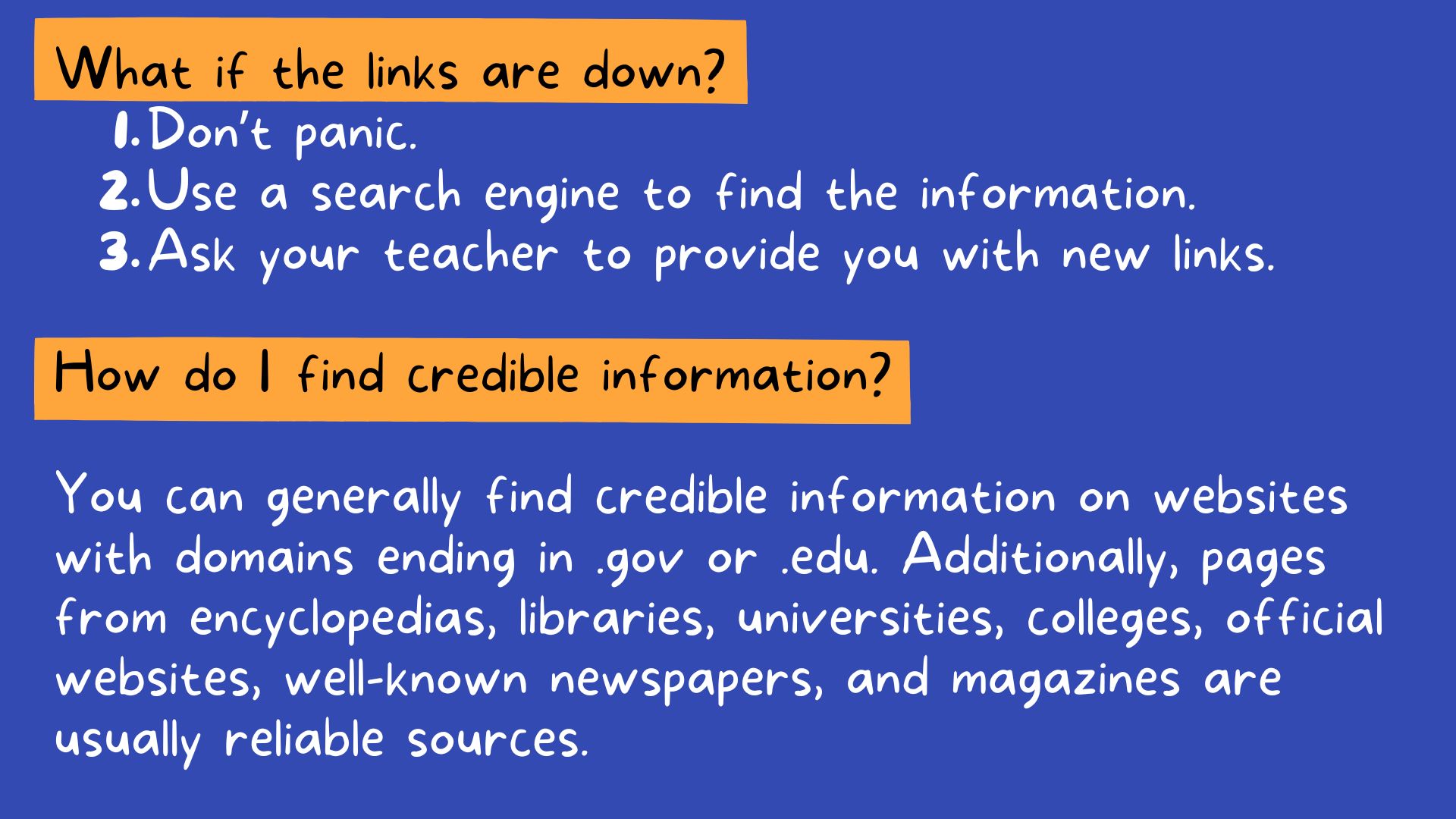
c) Sometimes links may disappear or become unavailable, but that shouldn't prevent you from completing your work. Here are some instructions on how to proceed if that happens.
STEP 2- Do your project
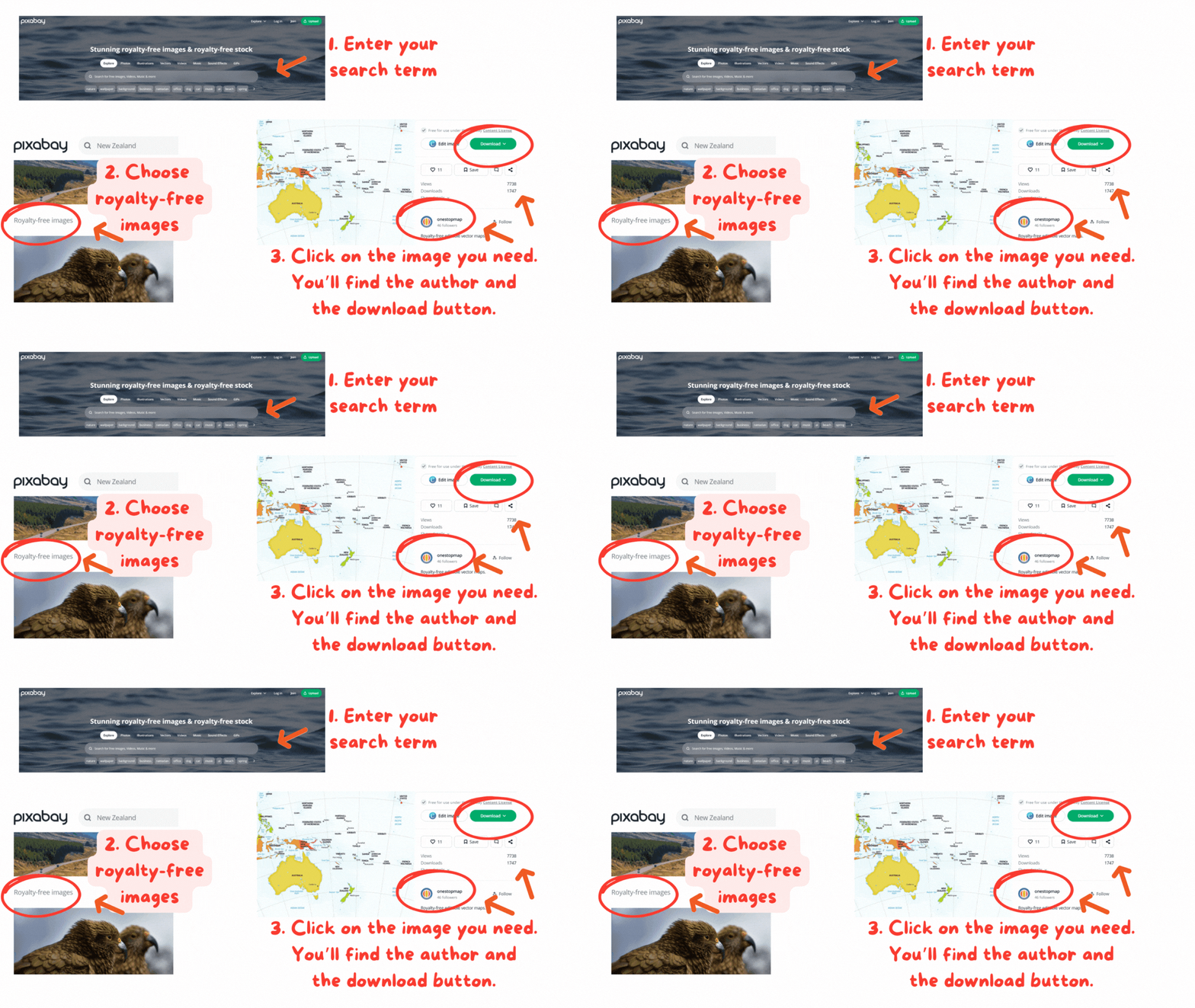
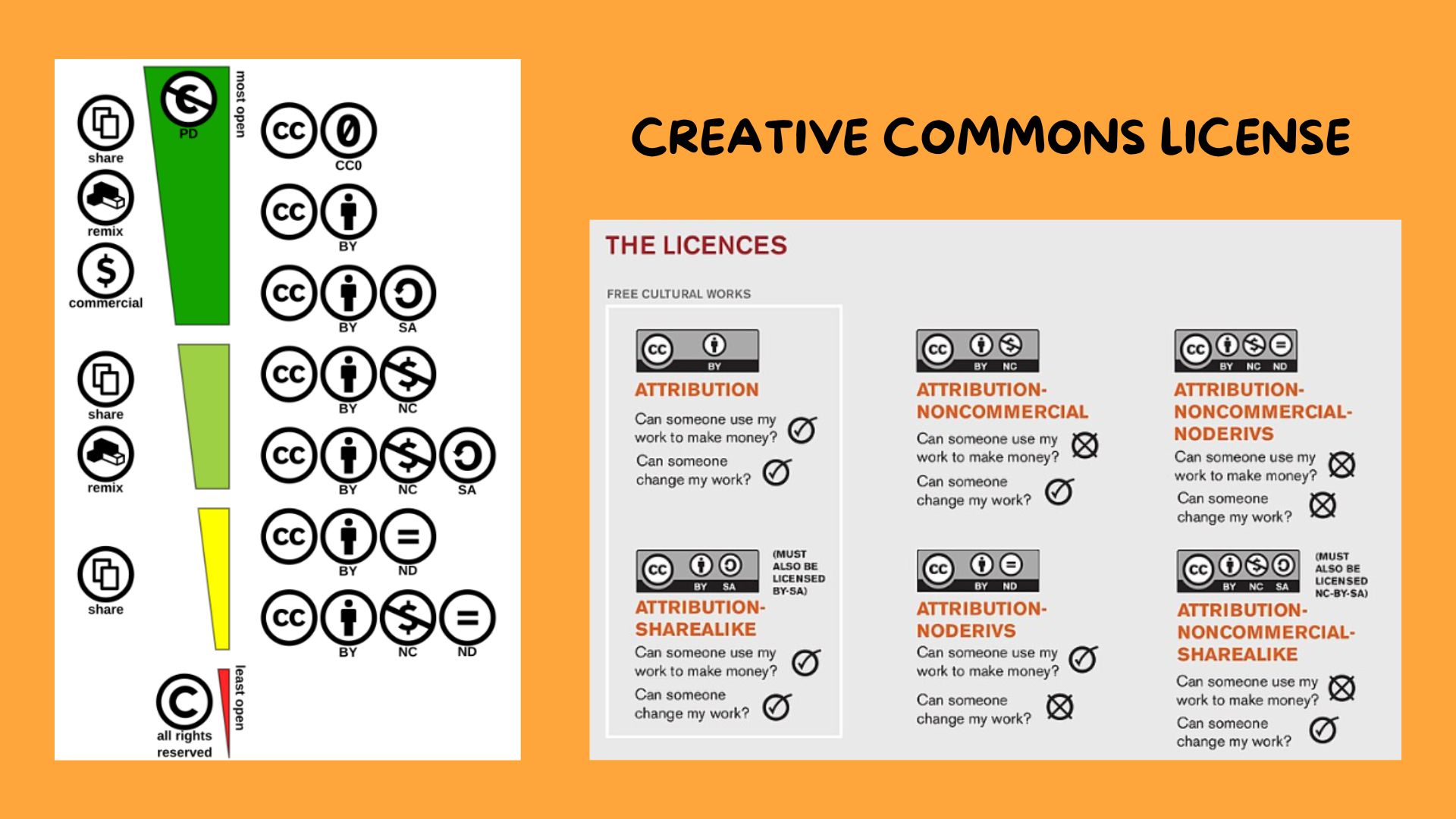
After reading the information in the links, plan your slides or the paragraphs for your cardboard poster and choose the photos or videos to accompany your text. You may use Flicker and Pixabay to find images and YouTube to get videos. Click on each word to get instructions on how to use the webs. Remember you have to be respectful with licences. You may use the visual suite Canva to create your presentation. Here you have some useful tips to make it work.
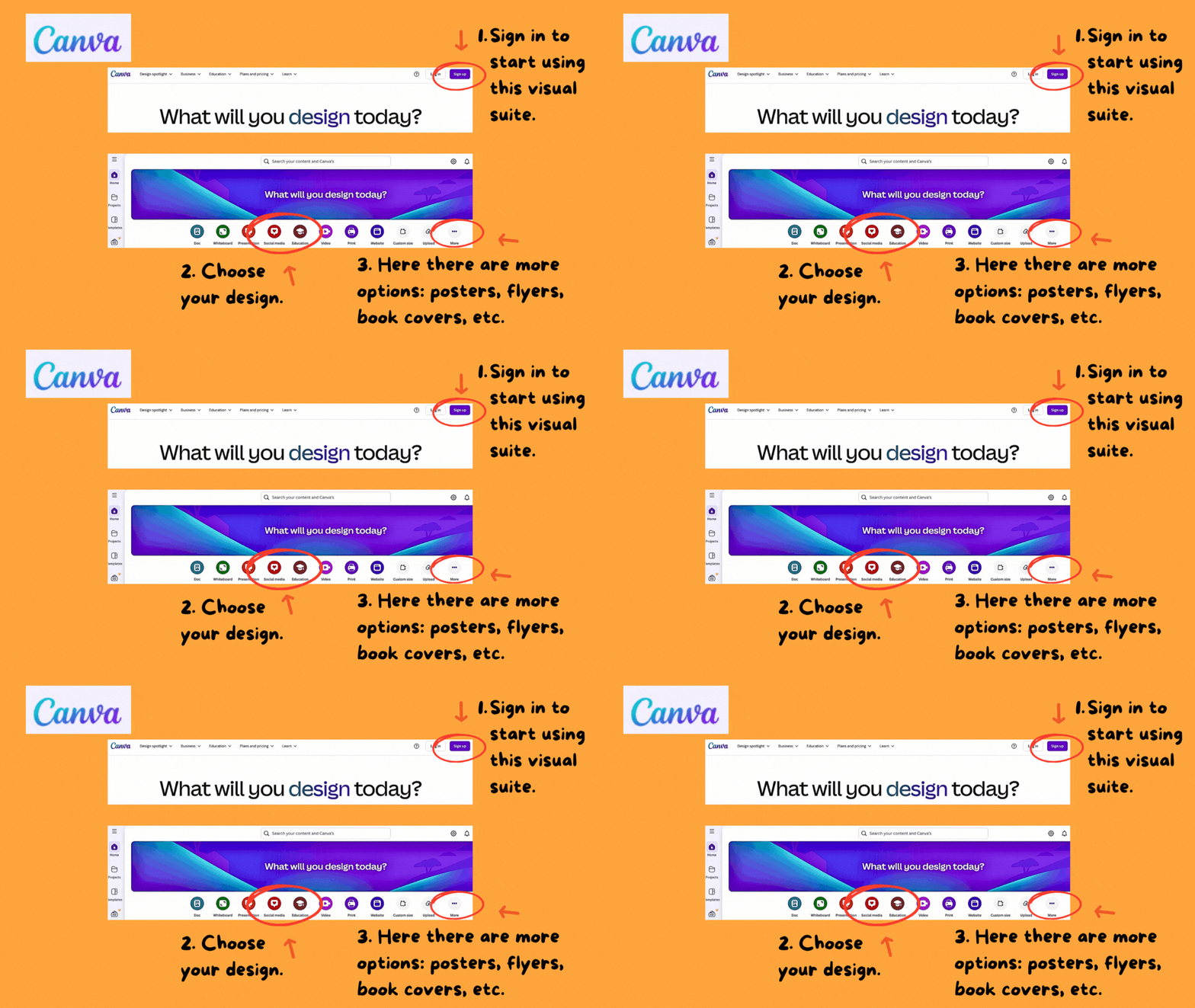
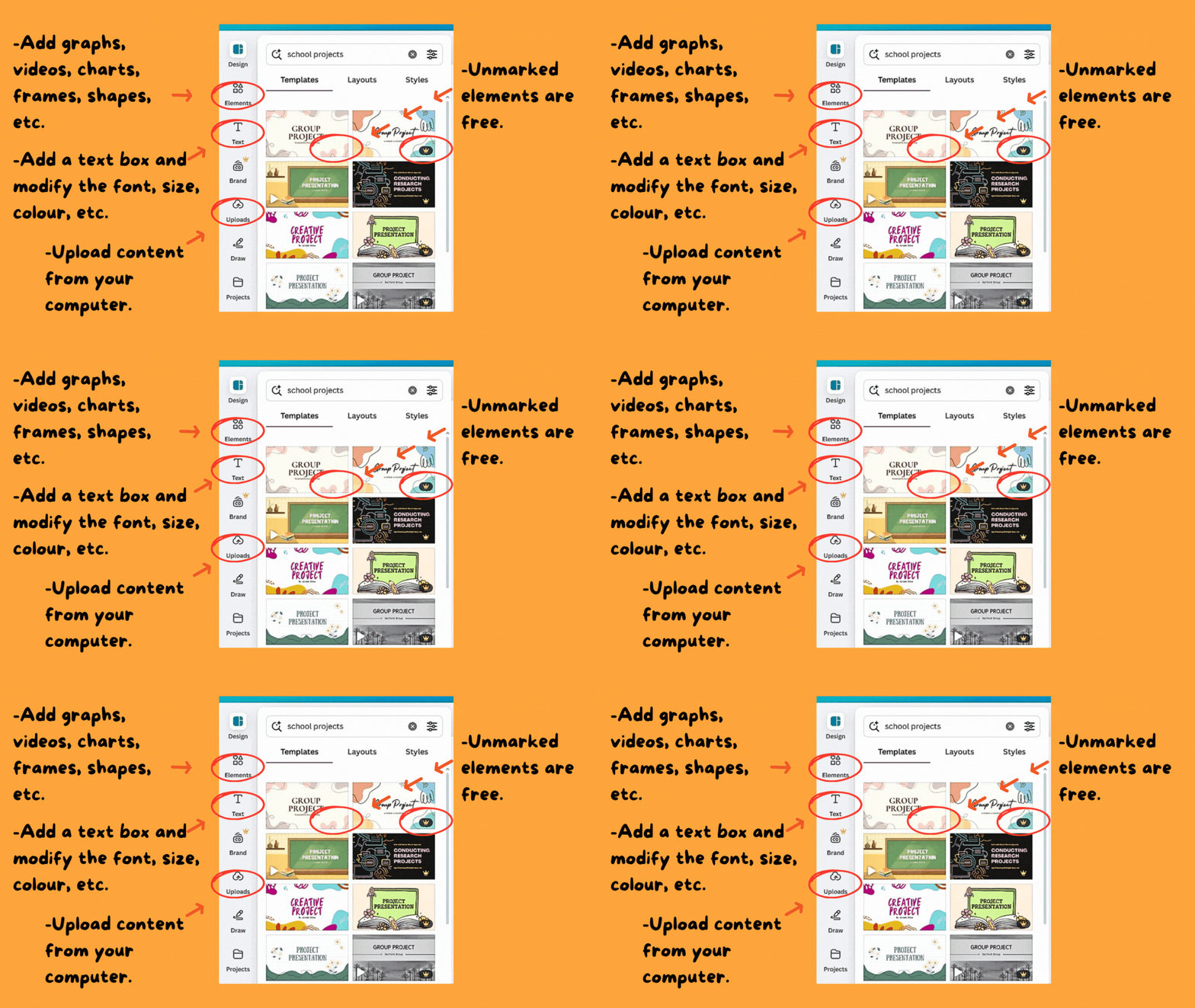
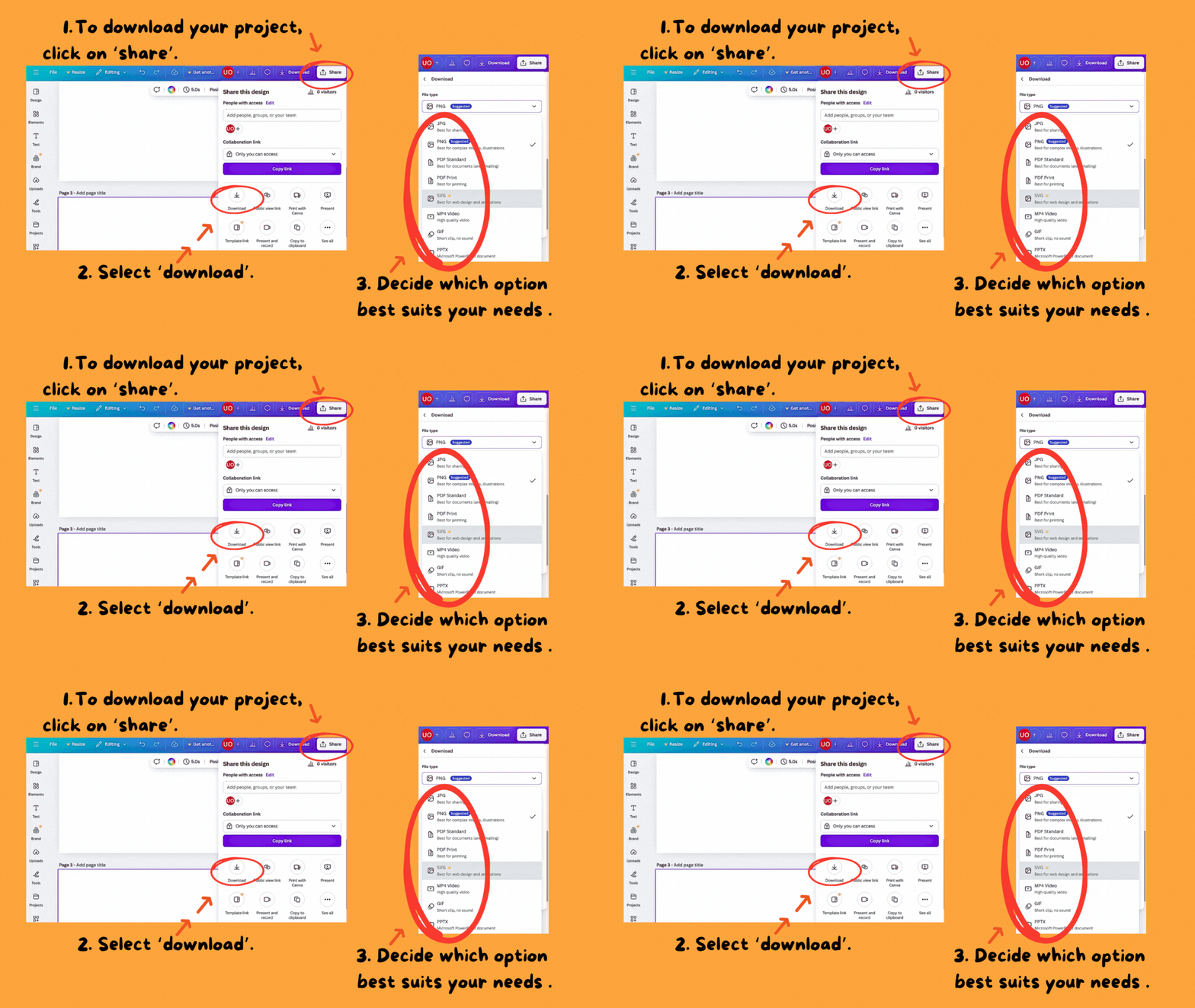
When you have a draft, handle it to your teacher to have it checked.
STEP 3- Present the project
Get ready to explain your work to the classroom. Take these tips into account:
-Organise the information thoughtfully and use appropiate images.
-Practise before presenting.
-Speak clearly and fluently and use the correct tone of voice.
-Keep eye contact and orientate to the audience.
-Don't read the presentation. Slides or the poster are only visual aids.