Mini-project: Create a map of English-speaking countries with Zeepmaps
Now that you have completed the chart with information about an English-speaking country, you are ready to create with your classmates a map of English-speaking places.
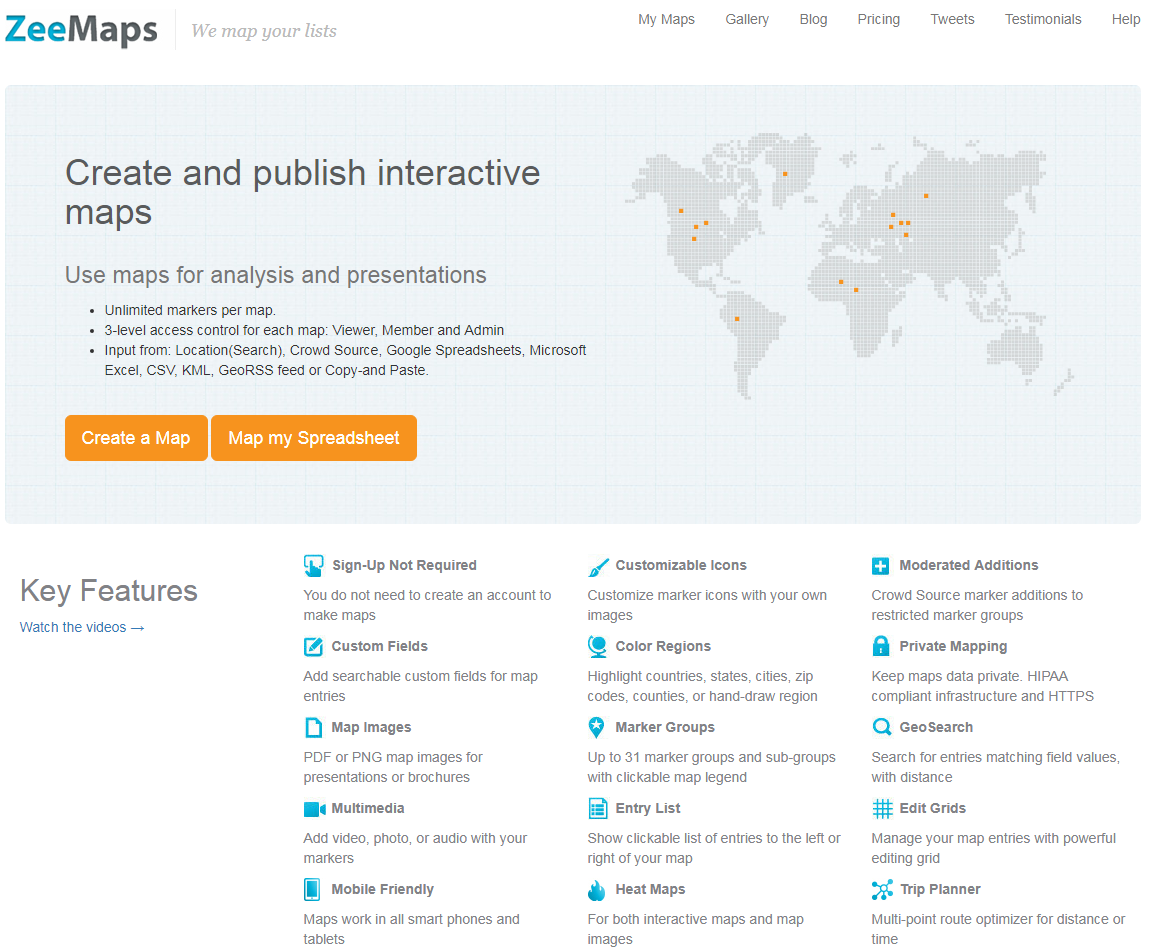
Zeemaps. Ana Losada e José Luis Murado. CC BY-SA
It’s very easy! Go to the website “Zeemaps” and follow these steps:
Step 1
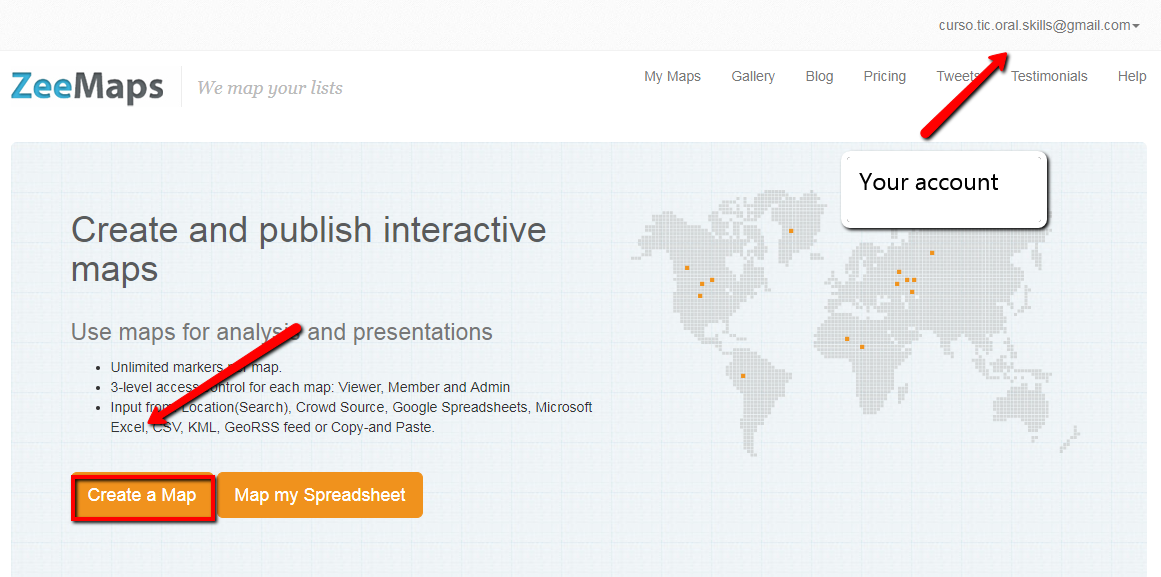
Sign in to the website with an email address and a password that the teacher will give you all.
Click CREATE NEW MAP
Ana Losada e José Luis Murado. CC BY-SA
Step 2
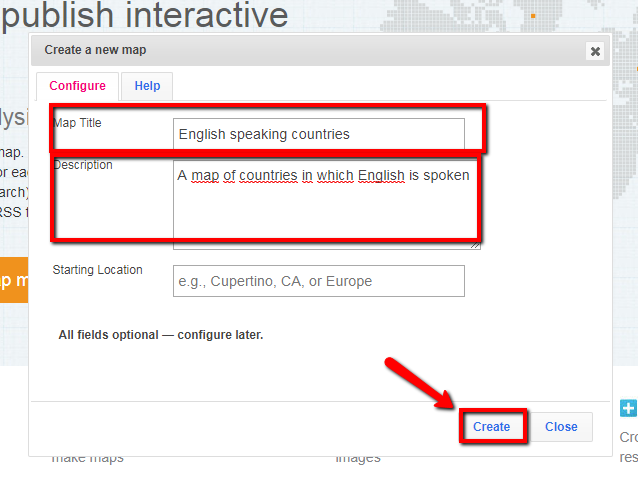
Add a title, a description and click CREATE.
Ana Losada e José Luis Murado. CC BY-SA
Step 3
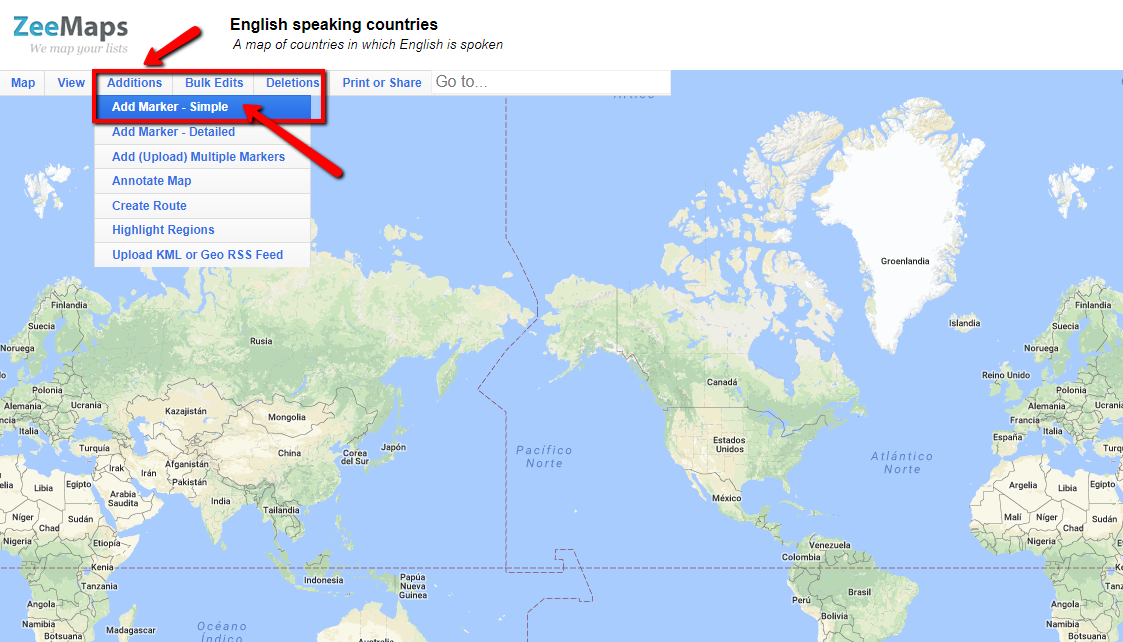
Click ADDITIONS and then ADD MARKER-SIMPLE.
Ana Losada e José Luis Murado. CC BY-SA
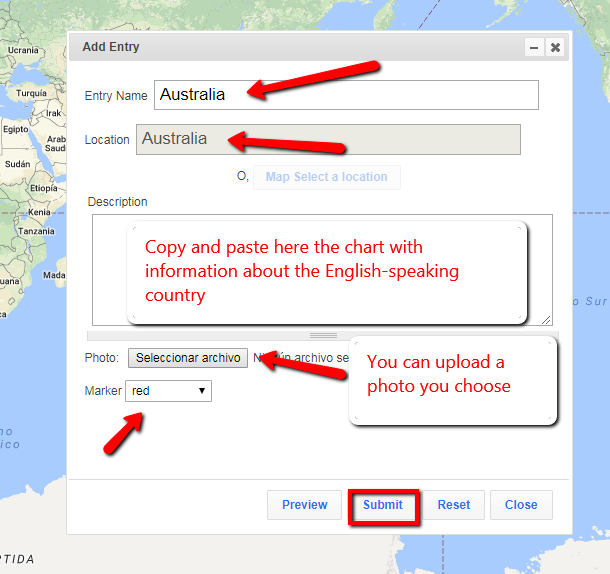
Step 4
Add the name of the country, choose the location and on DESCRIPTION copy and paste the chart you completed before. You can upload a photo and choose a colour for each country.
Ana Losada e José Luis Murado. CC BY-SA
Step 5
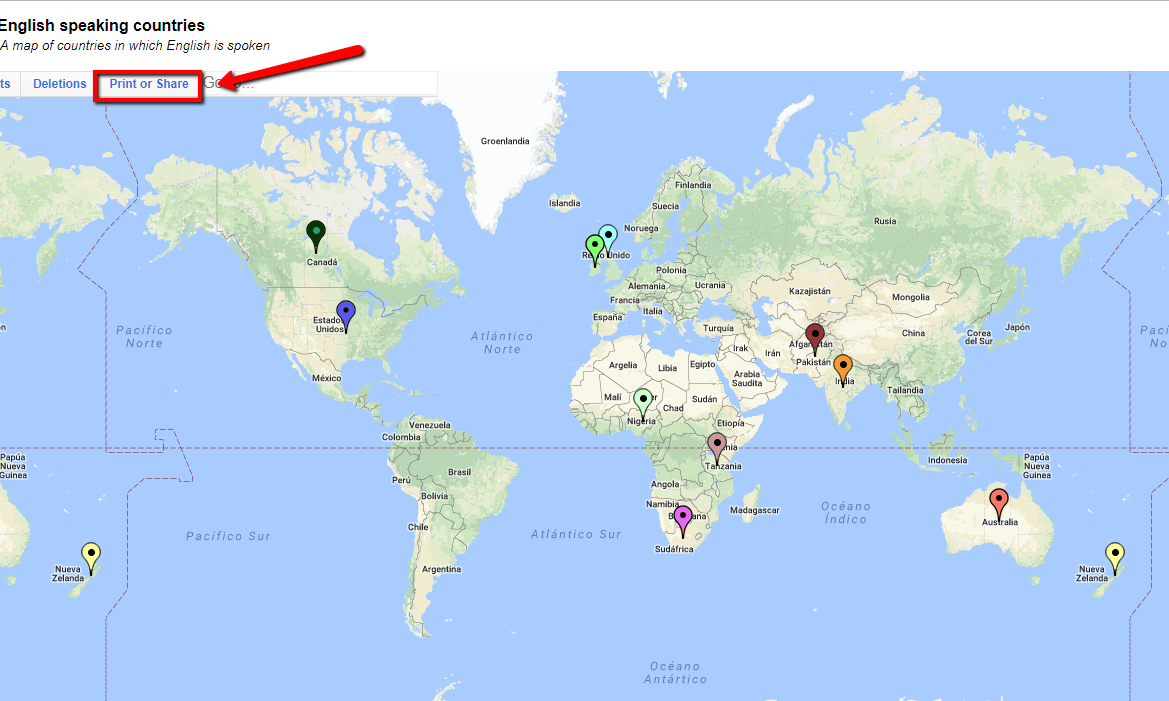
When you have added all the locations you wanted, you can share the map with other users with a link. Click PRINT OR SHARE.
Ana Losada e José Luis Murado. CC BY-SA
Here's an example of a map created with Zeemaps.